A calm place to just write.
Write and preview markdown side by side — with tabs, a folder sidebar, project-wide search, live rendering, diagrams, and export. No clutter, just your words.
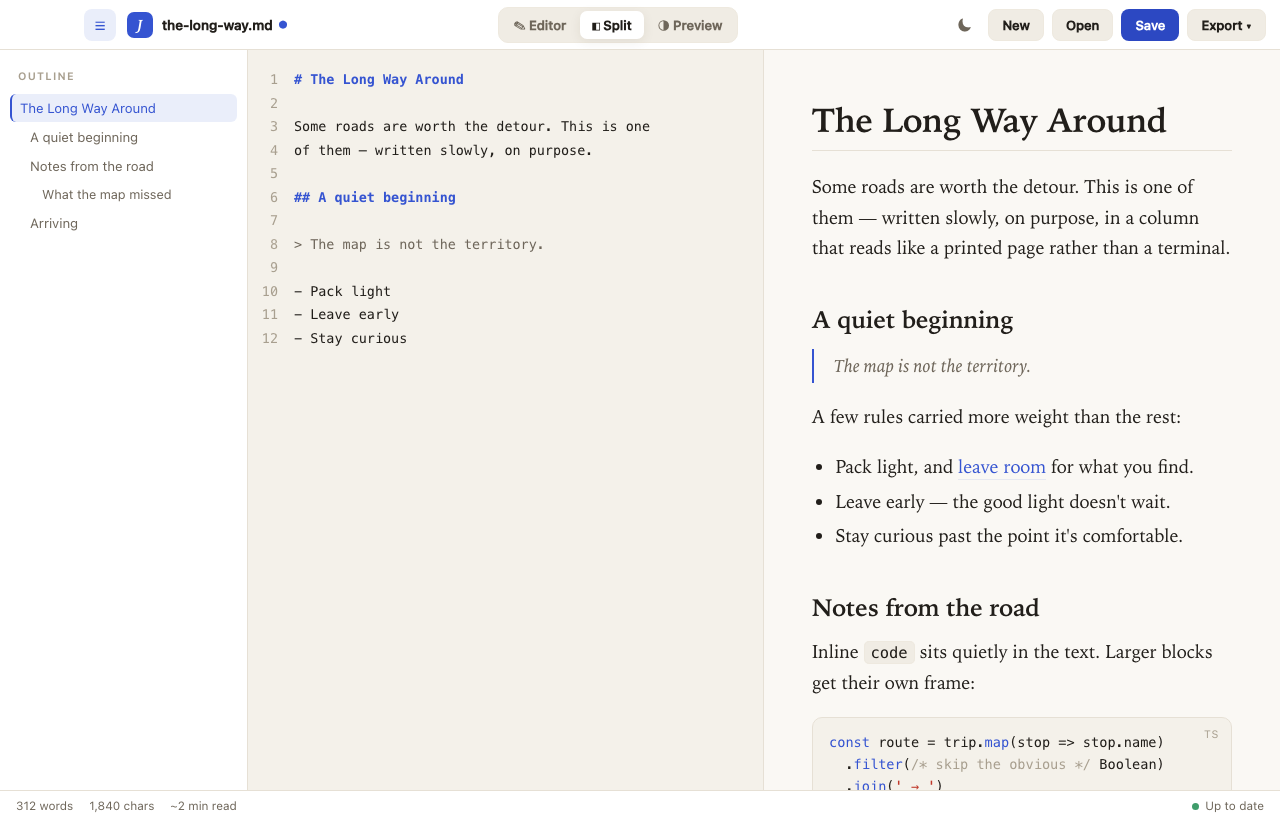
Everything you need, nothing you don't
Built for focused writing on macOS.
Tabs & folder sidebar
Open a whole folder and work across documents in tabs — pin your important ones, drag to reorder, and each tab keeps its own undo history.
Search your project
⌘⇧F searches every markdown file in your folder, with highlighted matches that jump straight to the right line.
Live split preview
Type on the left, watch it render on the right — in a serif reading column that looks like a printed page. Resizable.
Diagrams, math & code
Mermaid diagrams, LaTeX math, and syntax-highlighted code blocks render right inside your notes.
Outline & find
Jump around with an auto-generated outline, and find anything in your document instantly.
Focus mode & auto-save
Dim everything but the lines you're writing, with typewriter scrolling — and your work saves itself as you type.
Ink-on-paper themes
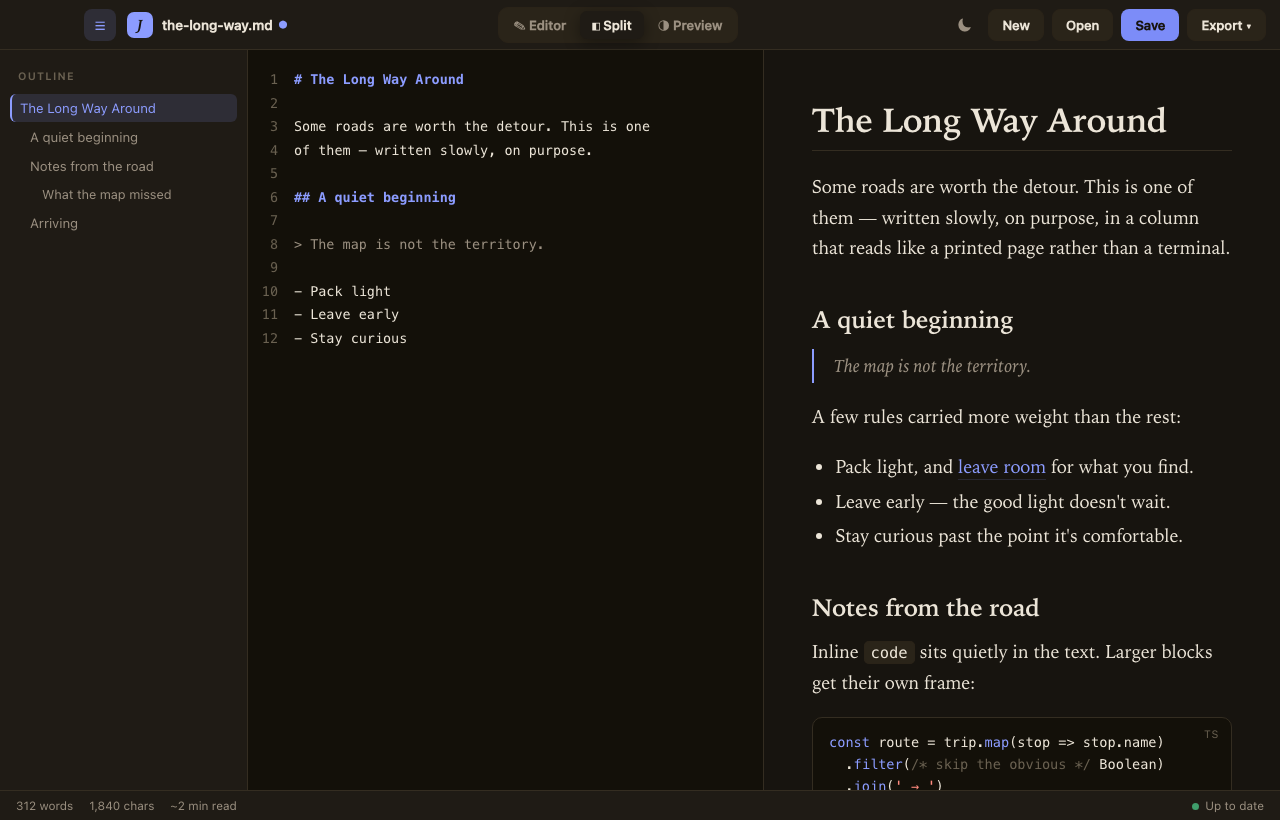
A warm light mode and a cozy dark mode. Easy on the eyes, day or night.
Smart paste
Paste a link onto selected text to make it a link; paste an image and it's saved beside your file.
Export anywhere
Send your writing to PDF or HTML, or copy it as rich text — formatting intact.
Light or dark, your call
Toggle with a keystroke; it remembers your choice.
Start writing
Free for macOS. Signed and notarized by Apple — opens with no warnings.
Download JustWriteQuestions or feedback? me@akelvin.dev